Getting started
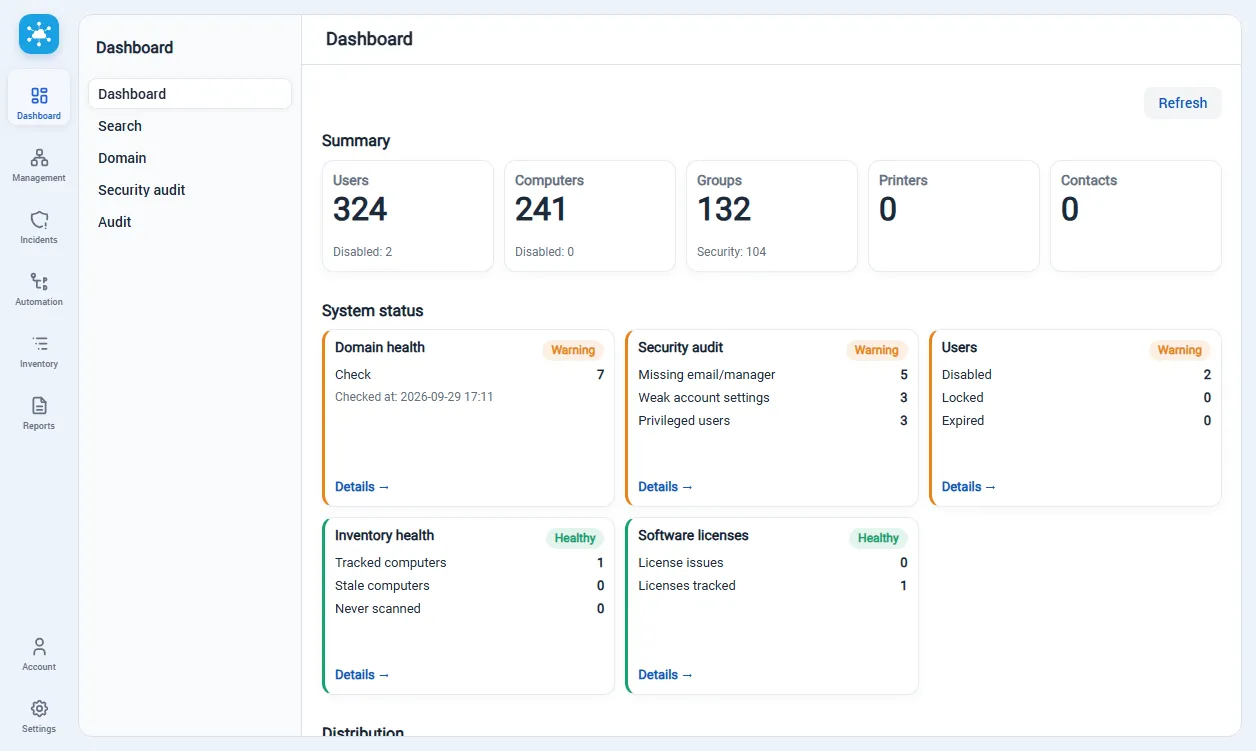
This guide covers version 5.x. After signing in, use the dashboard for an overview, Domain → Search to locate an AD object, Management for changes, and Inventory for scan-derived data. The in-app Help page (/settings/help) includes a guided tour. Actions and pages can differ by role; if a service is unavailable, ask an administrator to check /settings/dependencies.
For current workflows, see Directory management, Inventory and Settings. The sections below describe the common navigation patterns.
1. Service Purpose
Section titled “1. Service Purpose”Sysadmin Anywhere is a web interface for Active Directory administration and related tasks: AD object management, auditing, software/hardware inventory, incident handling, automation execution and monitoring (n8n), and report generation.
Languages
Section titled “Languages”- English
- German
- French
- Spanish
- Portuguese
- Italian
- Chinese
- Japanese
- Russian
2. Login and General Navigation
Section titled “2. Login and General Navigation”2.1 Login
Section titled “2.1 Login”- Login page:
/login. - Standard username/password form is used.
- “Forgot password” button is disabled.
- After successful authentication, the dashboard opens (
/).
2.2 Interface Layout
Section titled “2.2 Interface Layout”The interface consists of:
- left vertical top-level panel (Dashboard, Management, Incidents, Automation, Inventory, Reports, Account, Settings);
- submenu of the selected section;
- workspace with the page;
- top page action menu (if the page supports action menus).
2.3 Common Work Patterns
Section titled “2.3 Common Work Patterns”Many lists use similar mechanics:
- filters (block with fields + Search/Reset buttons);
- table (Grid) with navigation to details card on row click;
- top action menu (refresh, create, import, delete, etc.);
- modal dialogs (Dialog) for input/editing;
- confirmation dialogs (ConfirmDialog) for dangerous operations.