Vault
HashiCorp Vault Configuration
Section titled “HashiCorp Vault Configuration”Note: If the Active Directory connection login and password are specified in environment variables, the Vault settings will be ignored.
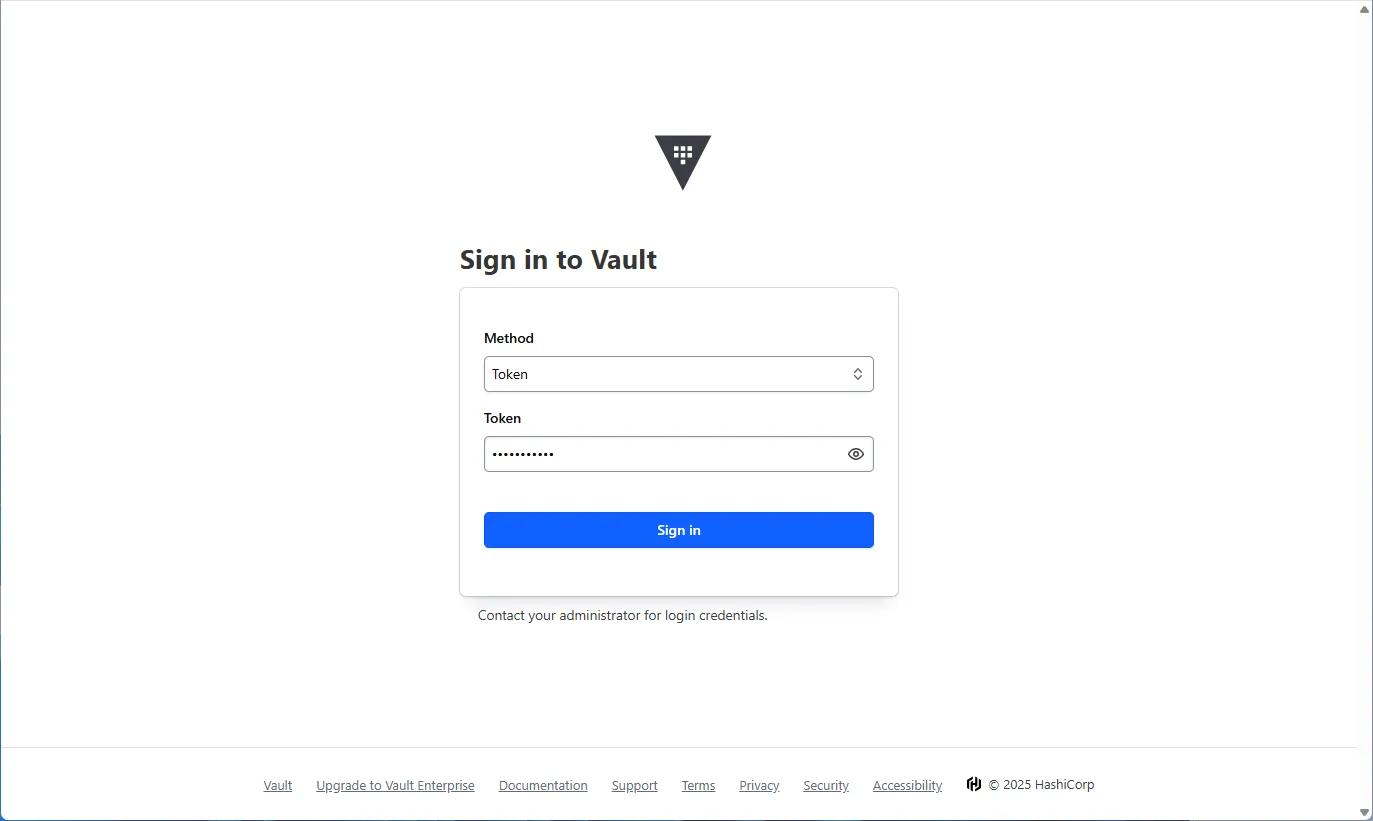
- Open the page at http://localhost:8200/ (or another address specified in the environment variables).
- Enter the token from the environment settings or otherwise authenticate with the service.
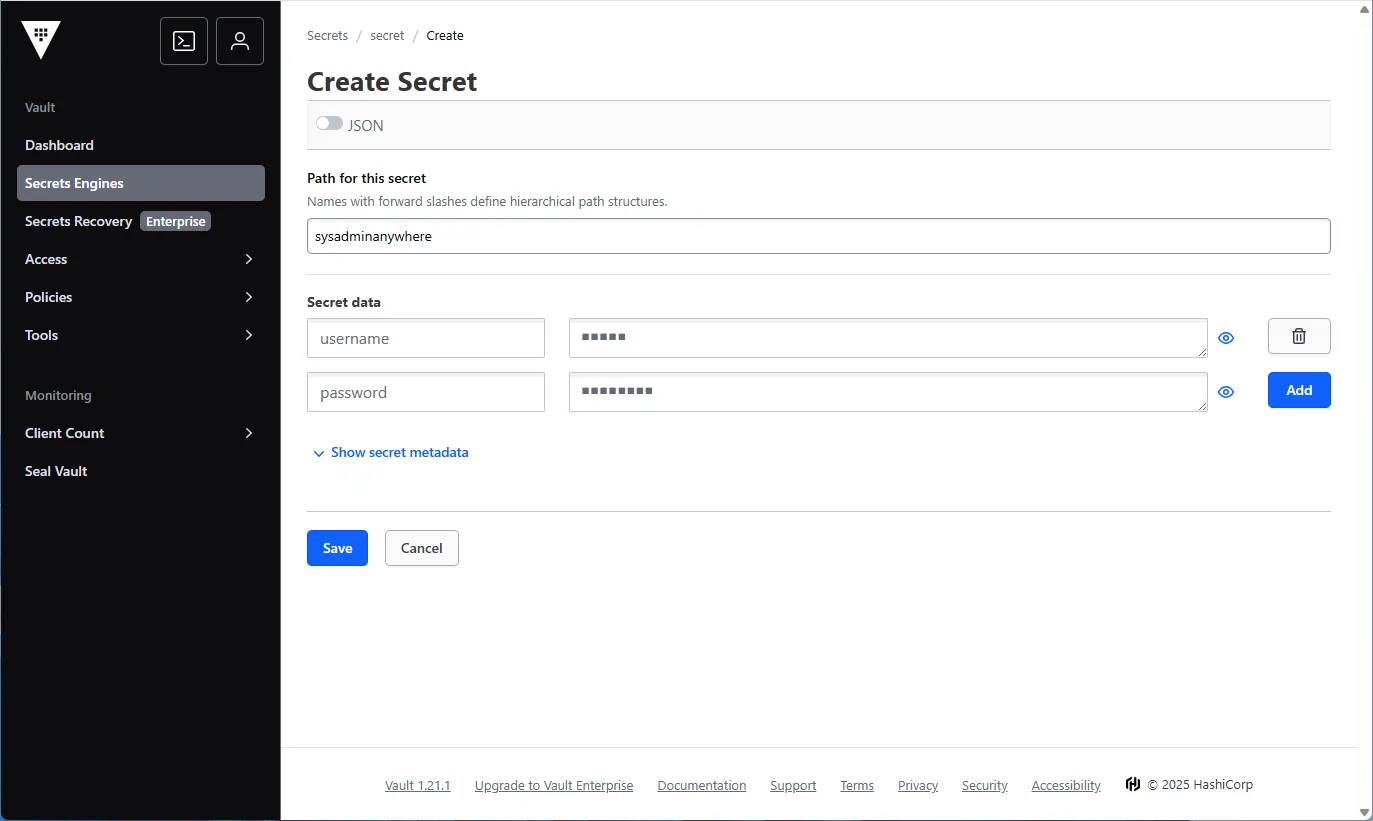
- Click on the “Secrets engines” menu item.
- Select “secret”, then “Create secret”.
- Enter the path “sysadminanywhere”, and the data “username” and “password” - the login and password for connecting to Active Directory.
- Click “Save”.